


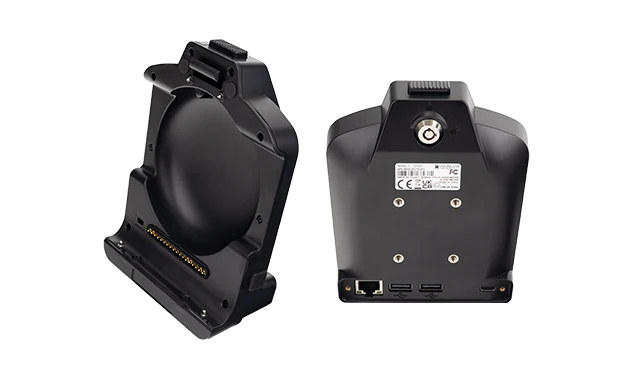
CRD880 Vehicle Docking Station for MDT880
Vehicle docking station for the MDT880 8-inch 5G rugged tablet. Delivers stable vehicle power, Gigabit Ethernet, RS232 serial communication, USB OTG expansion, and optional GPIO control through a single secured cradle. Designed for fleets that require reliable in-vehicle connectivity, peripheral expansion, and long-term docked operation.
The CRD880 is available with two cable configurations — TYPE-A (full features) and TYPE-B (basic features) — that differ in serial channel count and GPIO capability. Both share the same physical dock, the same pogo-pin tablet interface, and the same Ethernet and USB expansion architecture. The difference is in the cable harness.
CRD880 Cradle with Full Features Cable (TYPE-A)
Provides a dedicated RS232 channel connected to the tablet CPU, a second configurable RS232/RS485 channel over USB, and four GPIO lines for sensor and relay control. Suitable for deployments that require simultaneous serial peripherals, GPIO-based automation, and wired Ethernet connectivity.
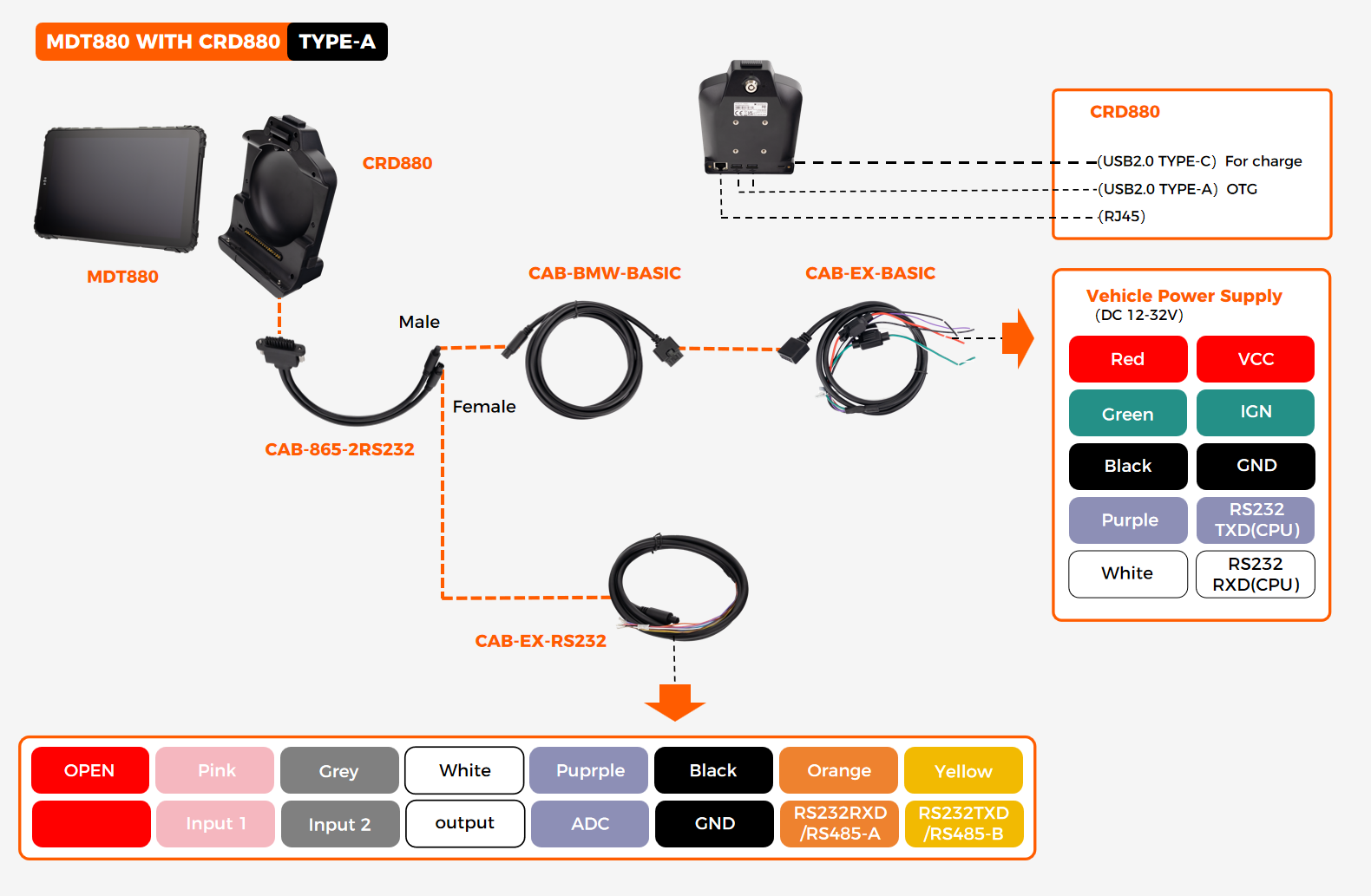
Interface Summary
CRD880 Cradle with Basic Features Cable (TYPE-B)
Provides a single RS232 serial channel, Gigabit Ethernet, and USB OTG expansion without GPIO. Suitable for deployments where the tablet is used primarily for vehicle power, wired networking, and one serial peripheral — such as a receipt printer, weighbridge interface, or diagnostics dongle.
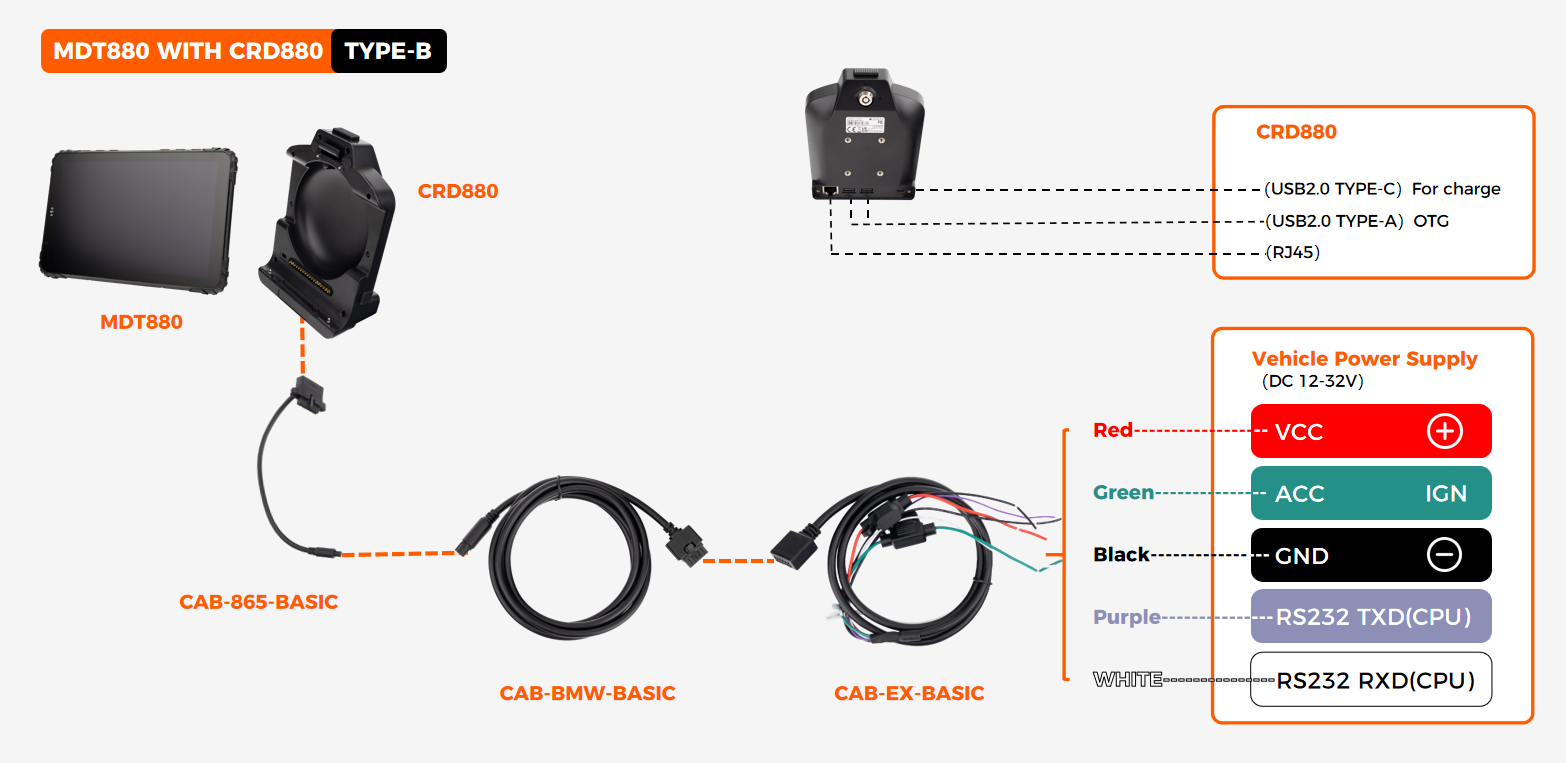
Interface Summary
How to Choose Between TYPE-A and TYPE-B
Select TYPE-A if your deployment requires two serial peripherals (for example, a weighbridge on RS232 and a temperature sensor bus on RS485), GPIO-based sensor or relay control, or future expansion flexibility through the configurable RS232/RS485 USB channel. Select TYPE-B if your tablet only needs vehicle power, wired Ethernet, one RS232 device, and USB peripheral support — reducing cable complexity and installation cost.
Cable Configuration Comparison
EXT-USB-CAN-01 — USB to CAN Bus Adapter Cable
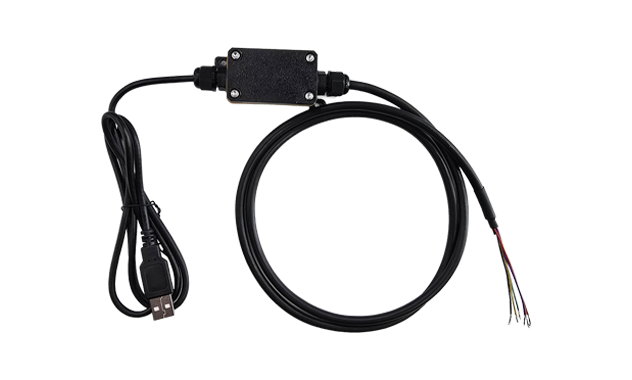
Adds CAN Bus capability to any MDT880 docking station equipped with a USB-A OTG port. One adapter cable supports up to 2 CAN Bus channels, enabling hardware-level vehicle network access without replacing the existing cradle — ideal for retrofit deployments, pilot fleets, or vehicles that require CAN data only in specific configurations.
Key Specifications
Note: Connects to the dock cable's USB-A OTG port and presents a CAN Bus interface to the Android OS through the standard SocketCAN driver stack. CAN Bus termination and baud rate configuration are handled at the software level.
Explore EXT-USB-CAN-01 →
Wiring examples shown — not all configurations. Pin-out details, cable lengths, and connector types may vary by production batch. For the full datasheet with dimensioned drawings and cable part numbers, contact our engineering team.
Compatible Tablet Platform
This docking station is designed for one tablet model only
The CRD880 cradle is built specifically for the MDT880 mechanical and electrical interface. It is not compatible with MDT865 or MDT1065 tablets.
Compare cradle variants across the full tablet lineup — interfaces, cable options, and configuration differences in one view.